
Travel today depends on much more than a passport, suitcase, and a carefully planned itinerary. Your smartphone may hold your boarding passes, hotel confirmations, photographs, banking apps, emails, contacts, and even copies of important identity documents. At the same time, your passport, visa, identification cards, and other physical documents remain essential throughout your journey. This makes digital safety for travelers an important part of modern travel planning.
Whether you are connecting to airport Wi-Fi, checking into a hotel, making an online payment, using a navigation app, or sharing a holiday photograph, small security decisions can make a meaningful difference. Knowing how to stay safe online while traveling does not require advanced technical knowledge. It simply means developing a few sensible habits before you leave home and maintaining them throughout your journey.
In this guide, we explore how to protect your data while traveling, use public Wi-Fi more carefully, secure your devices and accounts, protect your passport and other documents, recognize scams, and respond if something is lost or stolen. These practical travel cybersecurity tips can help you travel with greater confidence while keeping your personal information and essential documents better protected.
Table of Contents
Why Digital Safety Matters When You Travel | Digital Safety For Travelers
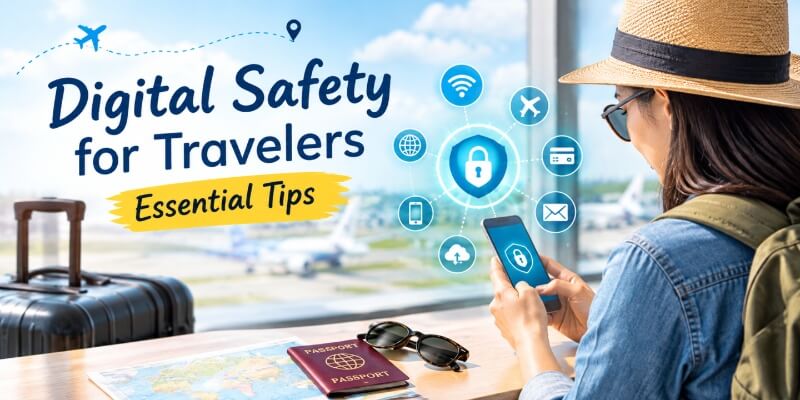
Travel changes your normal routine. You may connect to unfamiliar networks, use shared computers, charge your phone in public places, access accounts from different locations, and carry documents that contain valuable personal information.
Your phone alone can provide access to email, social media, banking, cloud storage, photographs, contacts, travel reservations, and other accounts. If the device is lost or stolen and inadequately protected, the problem can extend far beyond the replacement cost of the phone.
This is why digital safety for travelers should be considered alongside traditional travel precautions such as protecting your wallet, luggage, and accommodation.
Your Smartphone Is Now Part of Your Travel Essentials
A smartphone has become a travel companion in its own right. You may use it to display an airline boarding pass, translate a menu, navigate unfamiliar streets, book transportation, contact your family, or pay for something.
That convenience also means your phone contains considerable personal information. Before traveling, review what is stored on the device and make sure it is protected by a strong passcode or other secure authentication method.
What Personal Information Do Travelers Carry?
Think about everything you may access during a typical trip: your email, banking applications, credit-card information, passport photographs, travel insurance, hotel reservations, work files, personal photographs, and private conversations.
Understanding what is on your devices is an important first step in how to protect your data while traveling. The less unnecessary sensitive information you carry, the less information there is to expose if a device is lost.
Why Travelers Need to Think Beyond Physical Safety
Traditional travel safety usually focuses on keeping your belongings physically secure. Today, however, a stolen phone can potentially expose accounts and information, while a photograph of an identity document can create privacy concerns even when the original document remains safely with you.
Good digital safety for travelers therefore involves both cybersecurity and physical security.
How to Stay Safe on Public Wi-Fi While Traveling | Digital Safety For Travelers
Free Wi-Fi at airports, hotels, cafés, restaurants, shopping centres, and other public locations is convenient. However, convenience should not automatically translate into trust.
Current FTC guidance notes that widespread website encryption means public Wi-Fi is generally safer than it was in the early days of the internet, but travelers should still take sensible precautions and look for secure connections. CISA likewise recommends confirming that a public hotspot is legitimate and avoiding sensitive activities on unsecured public networks.
Understanding how to stay safe online while traveling starts with knowing when to connect and when to use another option.
Do Not Automatically Trust Free Wi-Fi
A network name that looks official does not necessarily prove that it belongs to an airport, hotel, café, or other venue. Someone can create a similarly named network to attract unsuspecting users.
Before connecting, check the exact network name and login procedure with staff when possible. CISA specifically recommends verifying the name and connection procedure with appropriate personnel before using public wireless hotspots.
Avoid Sensitive Activities on Untrusted Networks
If you need to access online banking, make an important financial transaction, or enter highly sensitive information, consider using your mobile data or another trusted connection instead.
CISA recommends avoiding online shopping, banking, and other sensitive activities requiring passwords or payment information while using public Wi-Fi.
This is one of the most useful rules for public Wi-Fi safety for travelers: if the task can wait until you have a trusted connection, waiting may be the simplest precaution.
Check for HTTPS
When visiting a website, look for https and the lock symbol in your browser. HTTPS indicates that the connection between your browser and the website is encrypted. However, do not assume that a website is legitimate simply because it uses HTTPS. A fraudulent website can also use encryption.
Consider Using a VPN
A virtual private network, or VPN, can add protection by routing your internet traffic through the VPN provider. However, choosing a trustworthy provider matters because the VPN service itself handles your traffic. The FTC advises consumers to consider both the benefits and privacy risks of VPN applications before choosing one.
A VPN can therefore be one element of travel data security, but it should not replace careful browsing habits.
Turn Off Automatic Wi-Fi Connections
Disable settings that automatically connect your device to available public networks. This reduces the possibility of your phone connecting to an unfamiliar hotspot without you deliberately choosing it.
Forget Public Networks After Using Them
When you leave an airport, hotel, café, or other location, remove the network from your saved connections when appropriate. This gives you greater control over which networks your device can reconnect to later.
How to Protect Your Data While Traveling | Digital Safety For Travelers
Good digital safety for travelers begins before departure. Preparing your accounts and devices at home is generally easier than trying to solve security problems in the middle of a journey.
Use Strong and Unique Passwords
Do not reuse the same password across your email, banking, social media, travel, and shopping accounts. If one password is compromised, reused credentials could potentially expose several accounts.
The FTC recommends long, strong passwords and says a password manager can help create and store them.
Enable Multi-Factor Authentication
Multi-factor authentication adds another layer beyond your password. Depending on the service, this might involve an authenticator application, security key, or verification code.
Set this up before traveling rather than waiting until you are abroad and discovering that you cannot access the required verification method.
Keep Software Updated
Install operating-system, browser, application, and security updates before departure. Updates frequently contain security fixes for known vulnerabilities. The FTC recommends keeping phones, computers, browsers, applications, and security software updated.
Back Up Important Information
Back up important photographs, travel information, contacts, and other essential files before leaving. A backup will not prevent theft, but it can make recovery considerably easier.
The FTC also recommends backing up important information stored on computers and phones so that it can be recovered if something goes wrong.
Be Careful About What You Download
Avoid downloading unfamiliar applications simply because a pop-up or message tells you that you need one. If you need a travel application, obtain it through the official application store or the legitimate service website.
These simple habits are central to how to protect your data while traveling.
Secure Your Phone, Laptop and Other Devices | Digital Safety For Travelers
Your devices can be valuable physically and digitally. Protecting them is therefore one of the most practical travel cybersecurity tips you can follow.
Use a Strong Screen Lock
Use a strong passcode, password, or another secure authentication method. Do not rely solely on convenience.
Enable Find My Device Features
Enable your phone or computer’s legitimate location and recovery features before leaving home. Familiarize yourself with how to remotely locate, lock, or erase the device if your manufacturer or operating system provides those options.
Keep Bluetooth and Wireless Features Under Control
Turn off Bluetooth, Wi-Fi, or other wireless functions when you do not need them, particularly in unfamiliar environments.
Be Careful With Public Charging Stations
Public charging can be convenient when your battery is almost empty, but carrying your own charger and power bank gives you greater control over how your device connects to power.
Never Leave Devices Unattended
Do not leave a laptop on a café table while you walk away, place your unlocked phone somewhere easily accessible, or leave electronics visible inside a vehicle.
CISA specifically advises travelers not to leave equipment unattended in public places and to secure devices in transportation areas, airports, airplanes, and hotel rooms.
This physical aspect of digital safety for travelers is easy to overlook. Cybersecurity does not help much if someone simply walks away with an unlocked device.
How to Make Digital Payments Safely While Traveling | Digital Safety For Travelers
Digital payments make travel easier, but they also require careful habits.
Avoid Sensitive Transactions on Untrusted Networks
If you need to make a financial transaction, consider using mobile data or a trusted network rather than an unsecured public connection.
Turn On Banking and Transaction Alerts
Enable notifications for card and bank transactions before your trip. Prompt alerts can help you notice unfamiliar activity quickly.
Check ATMs Before Using Them
Use ATMs in reputable, well-lit locations and examine the machine for anything unusual before inserting your card.
Carry Backup Payment Options
Do not depend entirely on one card or payment method. Keeping a second payment option separately can be useful if a card is lost, blocked, or compromised.
These are practical ways to improve secure online payments while traveling without making your trip unnecessarily complicated.
How to Protect Your Passport While Traveling | Digital Safety For Travelers
Your passport is one of the most important physical documents you carry. Knowing how to protect your passport while traveling should therefore be part of your pre-trip planning.
Keep Your Passport Secure
When you do not need to present your passport, keep it in a secure location. Avoid leaving it casually in a backpack pocket or somewhere it can easily fall out.
Carry Copies of Important Documents
Make copies of your passport identification page and other essential documents before departure. Keep the copies separate from the originals.
Copies are not replacements for official documents, but they can make it easier to retrieve important information and begin the appropriate replacement process if an original is lost.
Store Digital Backups Securely
A secure digital copy can provide useful access to important information during an emergency. However, do not leave sensitive document images in an unprotected photo gallery or share them casually through messaging or social platforms.
Do Not Share Passport Images Carelessly
Avoid posting photographs of your passport, visa, boarding pass, or identification documents on social media. Even when you intend to share a memorable travel moment, document numbers and other personal information should remain private.
Keep Original Documents Separate From Copies
If you carry multiple documents, avoid keeping every important item together. Separating originals from backup copies means one misplaced bag does not necessarily remove every available source of important information.
These passport security tips are a fundamental part of travel identity theft protection.
How to Protect Important Travel Documents | Digital Safety For Travelers
Knowing how to protect your passport while traveling is only part of document security. Your visa, identity card, travel insurance information, driving licence, and other records may also matter.
Passport and Visa
Keep original documents secure and check them periodically, especially when moving between accommodations.
Identification Cards
Carry only the identification you actually need for the particular journey. Store unnecessary cards securely rather than carrying your entire collection.
Travel Insurance and Booking Documents
Keep important policy details and booking references accessible through secure channels. Having emergency contact information readily available can save valuable time if something goes wrong.
Emergency Contact Information
Maintain a secure list of important contacts, including family members, your bank, insurer, accommodation, and relevant authorities.
Taking these steps makes it easier to protect important travel documents while reducing unnecessary exposure.
Watch Out for Phishing and Travel Scams | Travel Cybersecurity Tips
A large part of travel cybersecurity tips involves recognizing manipulation.
Scammers may impersonate airlines, hotels, banks, government agencies, delivery services, or travel platforms. A message may claim that your booking has been cancelled, your payment has failed, your account needs verification, or your travel document requires urgent action.
Fake Airline and Hotel Messages
If a message asks you to make an unexpected payment, do not automatically click its link. Instead, open the airline or hotel’s official website or application independently and check your booking.
Fake Booking Confirmation Links
Be particularly cautious about messages containing unexpected links asking you to confirm payment or provide personal information.
Fake Wi-Fi Login Pages
A Wi-Fi login page may request more information than is reasonably necessary. If something feels unusual, check with the venue before proceeding.
QR Code Scams
Do not assume a QR code is safe simply because it appears in a legitimate-looking location. Check where the code leads before providing credentials or payment information.
Never Share Your OTP, PIN or Password
No legitimate travel emergency should require you to casually disclose your password, banking PIN, or one-time verification code to a stranger.
The FTC recommends learning to recognize impersonation and phishing attempts because scammers may create convincing messages and websites designed to obtain personal information.
These travel phishing scams can look surprisingly realistic, which is why slowing down before responding is one of the simplest forms of online safety while traveling abroad.
Be Careful About What You Share on Social Media | How To Stay Safe Online While Traveling
Your holiday photographs can be wonderful memories, but sharing too much information in real time can create unnecessary privacy risks.
Avoid Posting Sensitive Travel Documents
Never post photographs that clearly display passport details, boarding passes, reservation numbers, QR codes, or other sensitive information.
Think Before Sharing Your Location
Ask yourself whether strangers need to know exactly where you are staying or when your home is empty.
Be Careful With Real-Time Travel Updates
Consider sharing some photographs after leaving a location rather than announcing every movement while it is happening.
CISA recommends limiting sensitive information shared through social media, including detailed vacation plans and location information.
What to Do If Your Phone or Passport Is Lost or Stolen | How To Protect Your Passport While Traveling
Even careful travelers can lose belongings. Having a response plan is part of good digital safety for travelers.
If Your Phone Is Lost
Use the device-location or recovery service you enabled before traveling. Lock the device remotely if possible and contact your mobile provider when appropriate.
Change passwords for particularly sensitive accounts if you believe someone may have accessed the device.
If Your Passport Is Lost Abroad
Contact the appropriate local authorities and your country’s diplomatic or consular service as soon as practical. Your secure copies of the passport and related documents can help provide the information needed during the replacement process.
If Your Bank Card Information Is Compromised
Contact the card issuer or bank promptly, monitor transactions, and follow the institution’s instructions for blocking or replacing the card.
Change Important Passwords Immediately
If a stolen device may have provided access to your accounts, change important passwords from a trusted device and review active sessions where the service allows it.
Use Your Backups
This is where preparation pays off. Secure backups of essential information can make an unpleasant situation considerably easier to manage.
Digital Safety Checklist Before You Travel | Digital Safety For Travelers
Before leaving home, take a few minutes to review this digital safety for travelers checklist:
- Update your phone, laptop, browser, and applications.
- Back up important files and photographs.
- Use strong, unique passwords.
- Enable multi-factor authentication.
- Turn on device-location and recovery features.
- Review your privacy settings.
- Enable banking and transaction alerts.
- Save important emergency contacts.
- Make secure copies of essential documents.
- Store physical copies separately from originals.
- Carry a backup payment method.
- Pack your own charger and power bank.
- Review which applications and files contain sensitive information.
A few minutes of preparation can make how to stay safe online while traveling much easier to manage.
7 Simple Digital Safety Rules Every Traveler Should Remember
Think before connecting. Verify unfamiliar Wi-Fi networks rather than automatically choosing the strongest signal.
Use secure connections. Look for HTTPS and avoid sensitive activities when the network or website cannot be trusted.
Protect your accounts. Use unique passwords and multi-factor authentication.
Update before departure. Keep your devices and applications current.
Protect your passport. Keep originals secure and maintain appropriate copies.
Share less online. Avoid publishing sensitive documents, detailed location information, or real-time travel plans.
Have a recovery plan. Know how you will respond if your phone, passport, cards, or other important belongings disappear.
These simple travel cybersecurity tips cover much of what you need for everyday digital safety for travelers.
Frequently Asked Questions About Digital Safety for Travelers
Is public Wi-Fi safe for travelers?
Public Wi-Fi can be used more safely when you verify the network, use encrypted websites, avoid sensitive activities when appropriate, and maintain good device security.
How can I stay safe online while traveling?
Use strong passwords, multi-factor authentication, updated devices, secure websites, careful Wi-Fi practices, and cautious responses to unexpected messages.
Should I use a VPN when traveling?
A reputable VPN can provide an additional layer of protection on some networks, but travelers should research the provider’s security and privacy practices before using one.
How can I protect my phone while traveling?
Use a strong screen lock, keep the software updated, enable device-location features, avoid leaving the phone unattended, and be careful about networks and applications you use.
Is it safe to use online banking while traveling?
Online banking can be used more safely when you use a trusted connection, an official banking application or website, strong authentication, and transaction alerts.
How can I protect my passport while traveling?
Keep the original secure, avoid unnecessary handling, carry appropriate copies separately, and never casually publish passport information online.
Should I carry a photocopy of my passport?
A copy can be useful if the original is lost because it preserves important identifying information, although it does not replace the original passport.
Is it safe to keep a digital copy of my passport?
A secure digital copy can be useful, but it should be stored in a properly protected account or device rather than being casually shared or left accessible to anyone who uses your phone.
What should I do if I lose my passport abroad?
Report the loss through the appropriate local authorities and contact your country’s embassy or consular service for guidance on the next steps.
How can I avoid travel phishing scams?
Do not click unexpected links or provide passwords, PINs, or OTPs in response to unsolicited messages; independently open the official service or contact the organization through a trusted channel.
Are public charging stations safe?
Carrying your own charger and power bank gives you greater control over your charging setup and can reduce your dependence on unfamiliar public charging equipment.
How can I protect my personal information while traveling?
Limit the information you carry and share, secure your accounts and devices, use careful Wi-Fi practices, protect physical documents, and maintain secure backups.
Modern travel requires us to protect more than our luggage. Our phones, laptops, accounts, payment information, passports, visas, and identity documents all form part of what we carry into the world. That is why digital safety for travelers deserves a place on every pre-trip checklist.
The good news is that how to protect your data while traveling does not have to involve complicated technology. Verify public Wi-Fi networks, use secure websites, protect your accounts with strong authentication, keep devices updated, and think carefully before sharing personal information. At the same time, remember that how to protect your passport while traveling is equally important: secure the original, maintain appropriate backups, and keep sensitive document images private.
The most useful travel cybersecurity tips are often the simplest ones. Pause before connecting. Think before clicking. Protect before sharing. Prepare before leaving home.
When these habits become part of your normal travel routine, how to stay safe online while traveling becomes much less complicated. Your journey should be about discovering new places, meeting people, experiencing different cultures, and creating lasting memories. With a little preparation, you can spend less time worrying about your digital security and more time enjoying the journey.
Travel is about discovering new places, embracing unfamiliar experiences, and creating memories that stay with us long after we return home. Yet, in today’s connected world, protecting our digital world is just as important as safeguarding what we carry in our luggage. Do share this post on digital safety for travelers with your family and friends, so they can learn how to stay safe online while traveling and understand how to protect your data while traveling wherever their journeys take them.
These thoughtful travel cybersecurity tips can help every traveler navigate public Wi-Fi, online payments, devices, and digital documents with greater awareness. And for anyone wondering how to protect your passport while traveling, these simple precautions can offer an added layer of confidence on the road. Share this post with your loved ones and across your social media platforms, and help make safer, smarter travel part of every journey.
Where Journeys Begin — And Awareness Deepens
Pause for a moment. Take a breath. Imagine shorelines gleaming beneath the sky like distant constellations, mountains wrapped in veils of mist and memory, and ancient streets whispering stories beneath every wandering step. This is not merely movement from one point on a map to another. It is a quiet unfolding of the soul, a transformation that arrives gently, almost imperceptibly, and leaves something beautiful behind.
We do not simply design itineraries; we shape experiences with intimacy and intention, journeys that feel deeply personal and true, like a handwritten message finding its way directly to the heart. From tranquil sanctuaries where silence speaks to overlooked wonders waiting beyond the well-trodden path, every experience is thoughtfully aligned with the person we are becoming.
And when that inner longing to explore begins to stir, write to us at imvoyager18@gmail.com. Together, we will shape a journey that becomes more than a passage through places — a story that remains with us, resonating quietly in the heart long after the road has fallen silent.
When Miles Fade — And Meaning Remains
Every meaningful journey begins long before the bags are packed and the first mile is travelled. It begins as a whisper within, a gentle pull toward somewhere unknown, accompanied by the feeling that something is waiting just beyond the familiar.
Step into a world where travel inspiration is gathered and curated with care, where hidden places, soulful encounters, and stories born from lived experience awaken our sense of wonder. Walk alongside fellow seekers who welcome the morning beneath the glow of golden light, discover stillness within sacred moments, and find unexpected joy in the beautiful turns that no itinerary could ever predict.
Let these shared moments become quiet companions on the road, guiding us toward journeys that feel personal rather than prescribed, alive rather than hurried, and unforgettable long after the photographs have faded into memory.
Travel With Us — Beyond Destinations, Into Presence
Welcome to Travel With Sandy & Vyjay, where every story becomes an invitation, every image carries the warmth of a first sunrise, and every destination opens a doorway to something waiting to be felt.
Wander with us through vibrant markets alive with colour and conversation. Witness the sacred hush of temple dawns as the first light gently touches ancient stone. Linger in those rare moments that resist explanation, moments that cannot quite be captured in words but somehow remain forever within us.
There are no schedules to chase here and no urgency to arrive. There is simply curiosity, connection, presence, and the quiet enchantment of discovery — the kind of magic that reveals itself when we slow down enough to truly experience a place.
Voyager — A Gathering of Curious Spirits
Voyager is more than a travel space. It is a gathering of explorers, dreamers, seekers, and storytellers brought together by a shared curiosity about the world and the stories it holds.
Join us across Instagram, Facebook, X Twitter, LinkedIn, and YouTube, and become part of a community where every journey has the possibility of inspiring another. Receive gentle sparks of wanderlust and reflection through Voyager Travel Bytes on WhatsApp, or invite thoughtful stories and travel inspiration into your inbox.
Follow our journeys on Instagram as they unfold naturally — honest, immersive, intimate, and beautifully unscripted, much like travel itself. Because the most memorable journeys are rarely the ones that unfold exactly as planned; they are the ones that leave room for surprise, connection, and wonder.
Journeys Shaped Around You
Whether we move gently through unfamiliar worlds, follow horizons that seem to stretch endlessly into the distance, or pause long enough to listen to the quiet pulse of a place, every journey we create carries something of our essence within it.
Each path is chosen with intention. Every detail is considered with care. Every experience is designed to open a door to wonder, discovery, reflection, and connection.
Because the journeys that remain etched within us do not merely introduce us to new destinations. They change the way we look at the world, and, somewhere along the way, quietly transform the way we see ourselves.
The World Is Calling — Can You Hear It?
Beyond the familiar lies a world overflowing with beauty, meaning, mystery, and moments waiting patiently to unfold. There are distant horizons to follow, forgotten corners to discover, sacred spaces to experience, and stories that have yet to become part of our own.
When the heart tells us that it is time to step beyond the known, reach out to imvoyager18@gmail.com. Together, we will thoughtfully craft a travel story shaped with intention and care — one that lingers in the imagination and remains in the heart long after the journey itself has ended.
Because travel has never been only about where we go.
It is about what we feel.
It is about what we discover.
It is about the people, places, silences, surprises, and stories that become part of us.
And, ultimately, it is about who we become along the way.
And when we are ready, we simply whisper:
Begin.
We are a reader-supported site. This means, at no additional cost to you, we may earn a small commission if you book a flight or hotel, or make a purchase through one of our affiliate links. Thank you for your support!
Flights – Air India (Domestic) or Air India (International), or Priceline
Tours – Click to book top tours around the world. Book tours and activities here.
Experiences – Book your next unforgettable experience here, with flexible bookings and free cancellations. Reserve tours and activities now and pay later.
Hotels – Click to book the best hotels/resorts. Choose the best stay options with TripAdvisor or Hotels.com, or HotelsCombined
Travel Insurance – Click to book Travel Insurance that covers a range of travel insurance and safety services including medical emergencies, lost luggage, trip cancellation and more
Visas and Travel Documents Application – Click here for Online Travel Visa Check
Online Passport Photo – Get Your Passport Photo Online here


Do You Love Traveling?
Do you want to know how to travel the world? We have put together a very useful travel resources page with the best travel tips. Go check it out now. Thanks for visiting our site Voyager - imvoyager.com and taking the time to read this post! If you wish to collaborate/work with us then reach us at imvoyager18@gmail.com We’d love it if you’d comment by sharing your thoughts on this post and share this post on social media and with your friends. Follow our journey on our social media channels: Facebook X Instagram Pinterest YouTube
Start dreaming about your next adventure with Tripadvisor. Book your next unforgettable experience here with flexible bookings and free cancellations.

Flight booking online at the best fare

60+ Million Users Trust TripAdvisor With Their Travel Plans. Shouldn't You?


Sandy & Vyjay are a husband and wife duo who are travel content creators. They are co-founders of this travel website and are one of the leading travel content creators in India.
Sandy & Vyjay quit their successful corporate careers to pursue their passion for travel and writing full-time. Their dedication has earned them the “Best Travel Writer” award and numerous accolades on both national and international stages. Focusing on India’s destinations, heritage, and culture, they are passionate advocates for nature and the environment. Through their content, they promote ecotourism and sustainable travel, inspiring others to explore and preserve the beauty of India.